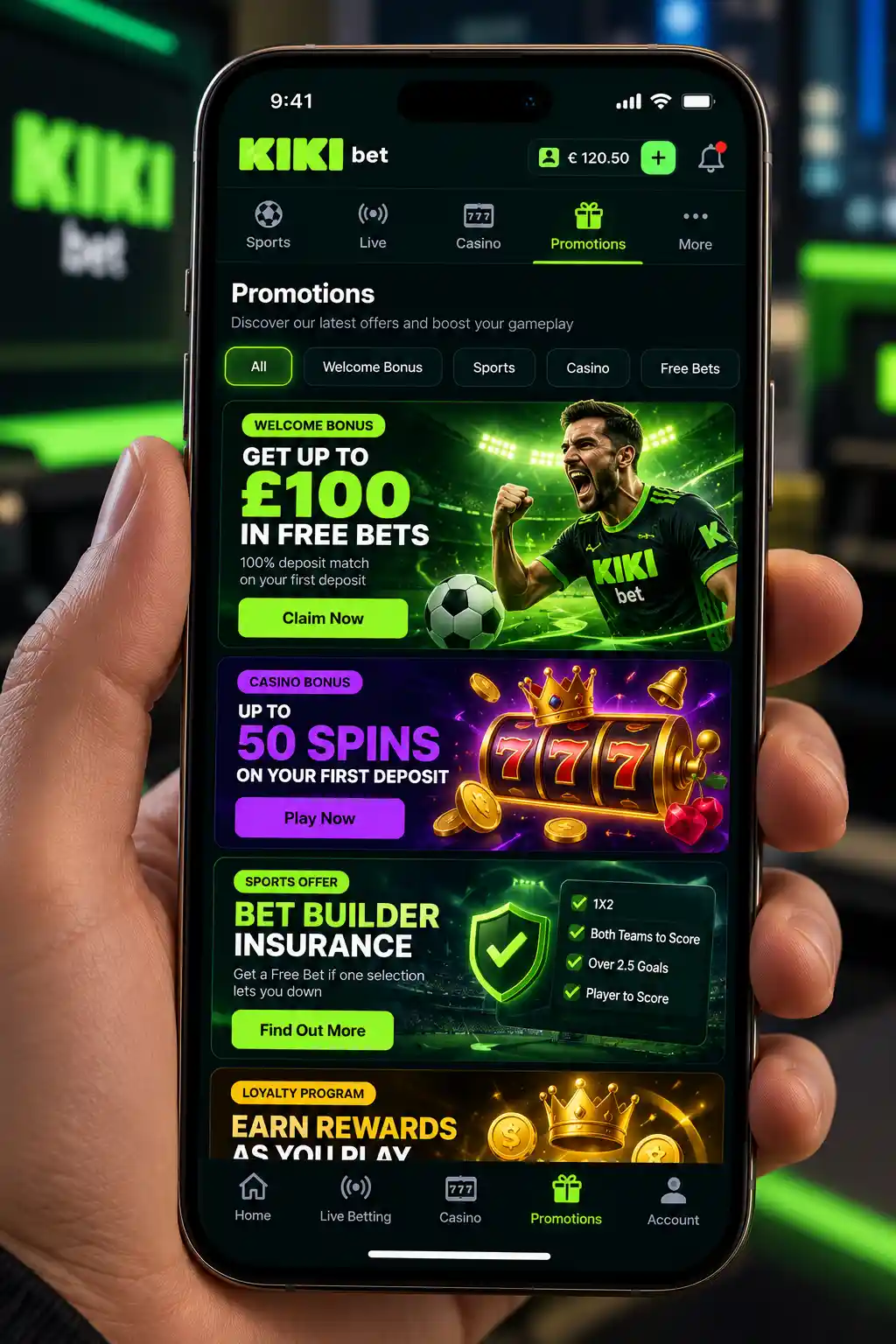

The Kikibet mobile application delivers the complete functionality of the platform — sports betting, live in-play markets, casino lobby, cashier and account management — through a single touchscreen-optimised interface available on both Android and iOS devices. For UK players, the app removes any dependency on a desktop browser, enabling full access to pre-match and live markets, cash out tools, slot games and live dealer tables from a smartphone or tablet at any point during the day.
The Android version is distributed as a direct APK file from the Kikibet website, bypassing Google Play Store restrictions that affect offshore operators. The iOS version follows a standard App Store installation flow, with no region blocks applied to UK Apple IDs. Both versions are free to download and require no separate account — existing Kikibet credentials carry over directly into the app without re-registration.
Kikibet App Overview
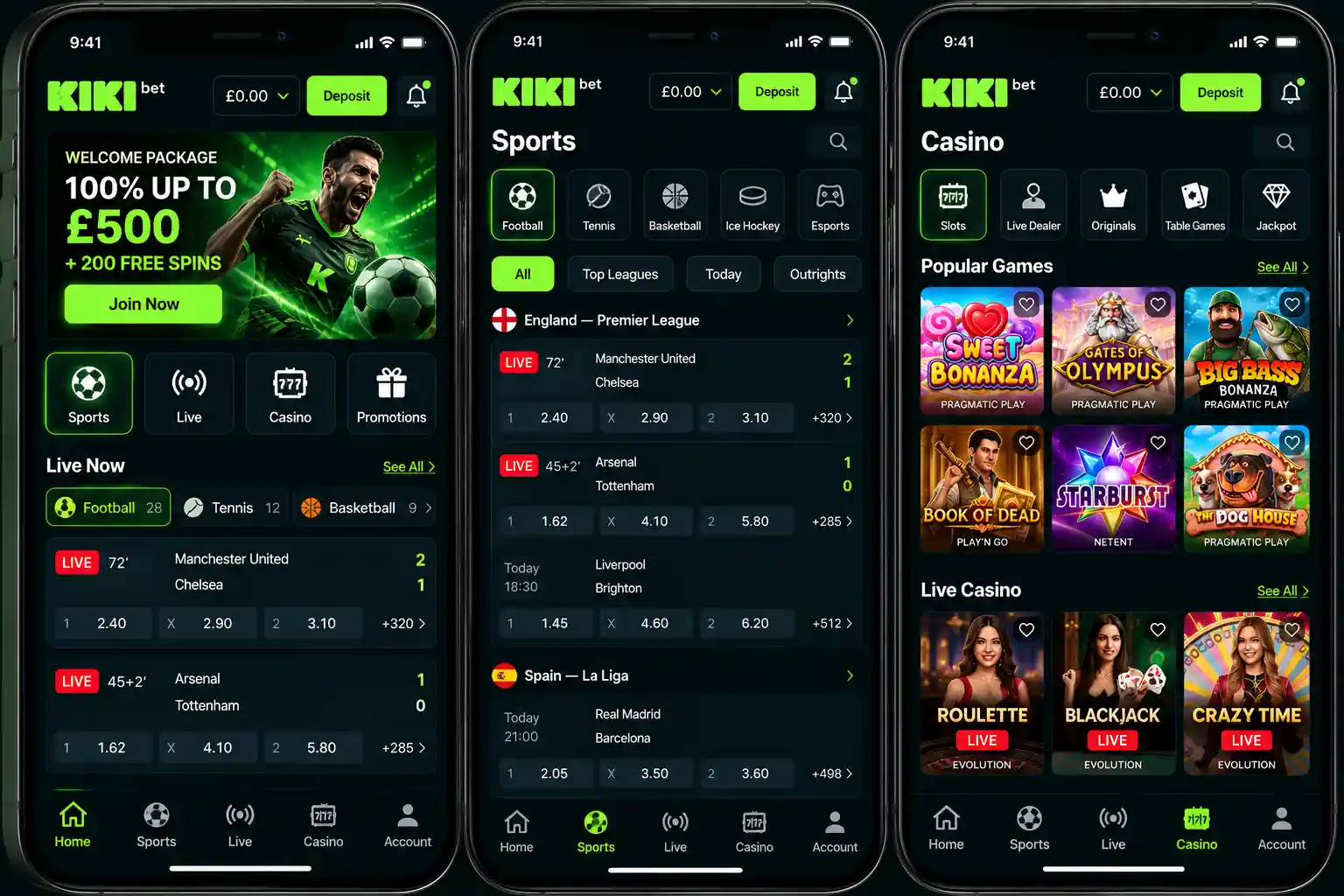
The Kikibet app consolidates the sportsbook, live betting, casino lobby, live dealer section and cashier into a single mobile environment, eliminating the navigation overhead that arises when switching between product verticals in a mobile browser. For UK players, placing a pre-match football bet, checking a live blackjack table and initiating a withdrawal are all accessible within the same authenticated session without logging in separately for each section.
The interface follows the same dark-theme design and layout logic as the Kikibet desktop platform, which reduces the learning curve for players transitioning from desktop. Odds in live markets refresh in real time without requiring a manual page reload — a technical distinction that matters when in-play markets move rapidly during active events. The application does not require a VPN from UK IP addresses, and no geo-restriction prompts are triggered on either the Android or iOS version as of October 2026. Both versions carry the same feature set; there is no reduced-functionality mobile tier.
How to Download the Kikibet App
Downloading the Kikibet app follows a different process depending on the operating system in use. Android users retrieve the installation file directly from the Kikibet website rather than through Google Play — a distribution method standard across offshore gambling operators due to Play Store policy restrictions on real-money gaming applications. iOS users complete a standard App Store procedure that requires no additional device configuration. Neither route requires creating a new account: the download is free, existing web credentials function immediately after the first login, and no app-specific registration step is introduced at any stage of the installation process. The two procedures are set out in the sections below.
Android: APK Download and Sideload Steps
Android distribution outside Google Play is standard practice among offshore gambling operators, as Play Store policy restricts real-money gambling applications in most markets. The Kikibet APK file is hosted on the official operator website and carries no additional security risk beyond what applies to any application installed outside the store, provided the file is sourced from the verified Kikibet domain. The installation requires enabling a single system permission and completes in under 60 seconds on any Android device running version 8.0 or above.
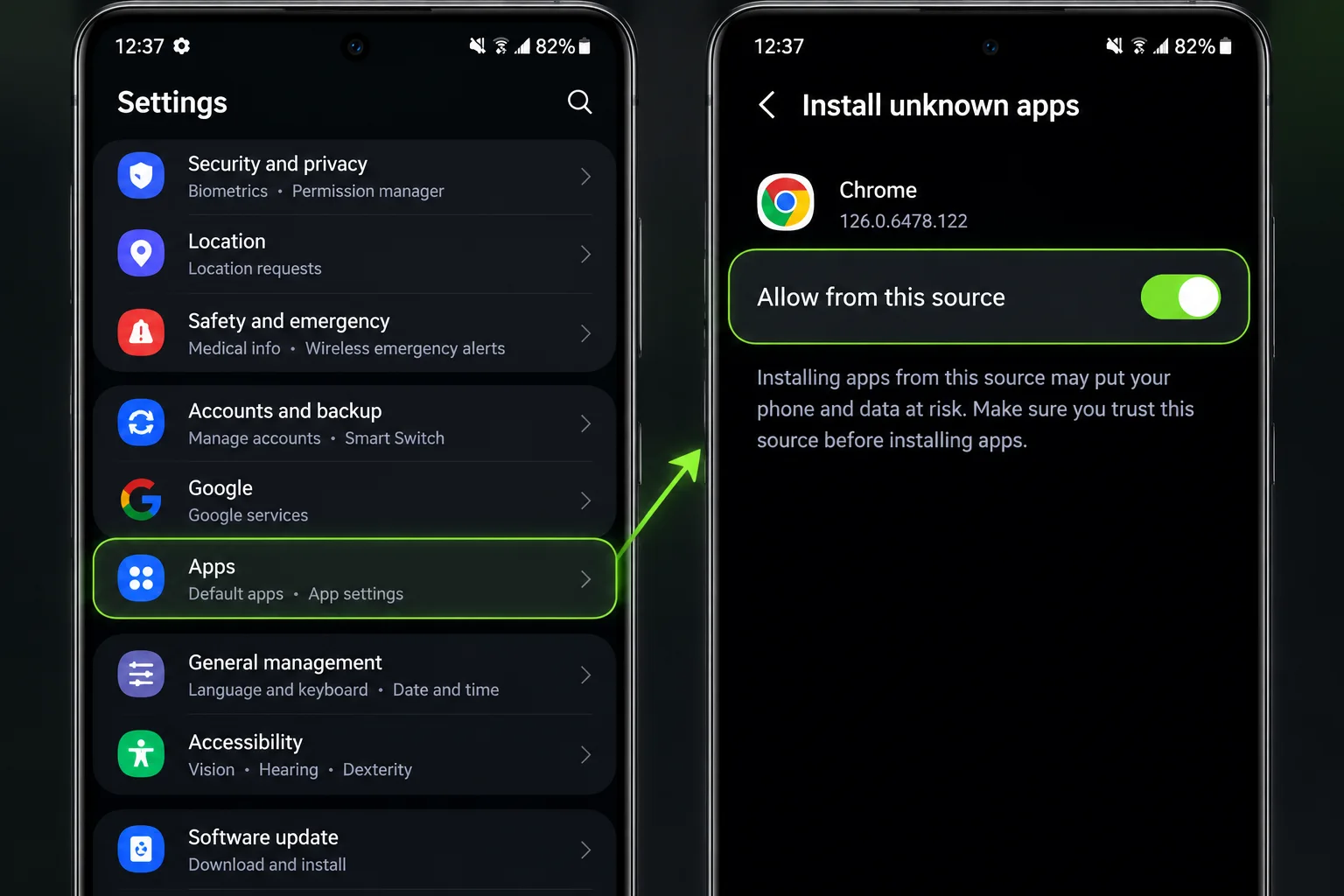
- Open the Kikibet website in the Android browser and navigate to the app download section.
- Tap the Android download button — the APK file transfers to the device’s default download folder.
- Open the downloaded file. If the system displays an “Install unknown apps” prompt, go to Settings → Apps → Special app access → Install unknown apps, enable the permission for the browser in use, then return and tap Install.
- Once installed, the Kikibet icon appears on the home screen or in the app drawer.
- Log in with existing credentials, or complete registration if accessing for the first time.
The APK file size is approximately 28–34 MB depending on version. Android 8.0 covers all devices manufactured from 2017 onwards, representing well over 90% of the active Android install base in the UK market as of 2026.
iOS: Installation from the App Store
iOS users access the Kikibet app through the Apple App Store without any additional device configuration. The app is listed in the UK App Store region and does not require changing the Apple ID country setting prior to download. Searching for “Kikibet” surfaces the official application, identifiable by the platform’s logo and the registered developer name.
After tapping Get and confirming with Face ID, Touch ID or Apple ID password, the app downloads and installs automatically — the process completes in 30 to 90 seconds depending on connection speed. The minimum supported version is iOS 14.0, which covers all iPhone models from the iPhone 6s onwards and all iPad Air 2 and later models. In practical terms, this encompasses the substantial majority of active iOS devices in the UK.
“The normalisation of App Store distribution for regulated and semi-regulated gambling operators reflects the broader shift in UK consumer behaviour, where mobile sessions now account for the majority of total online gambling time,” noted a mobile platform analyst covering the UK iGaming sector.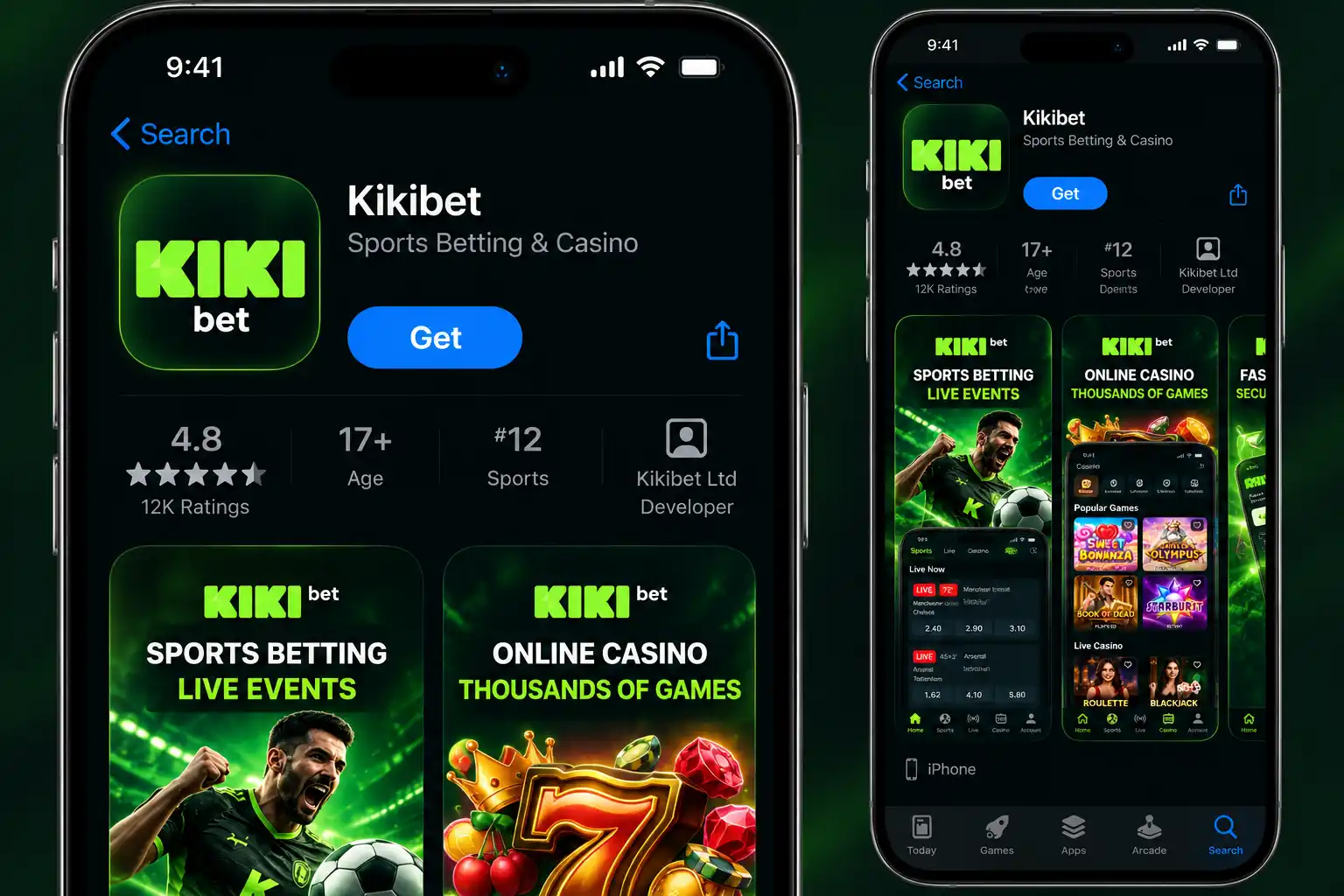
First Login, Biometrics and Account Access
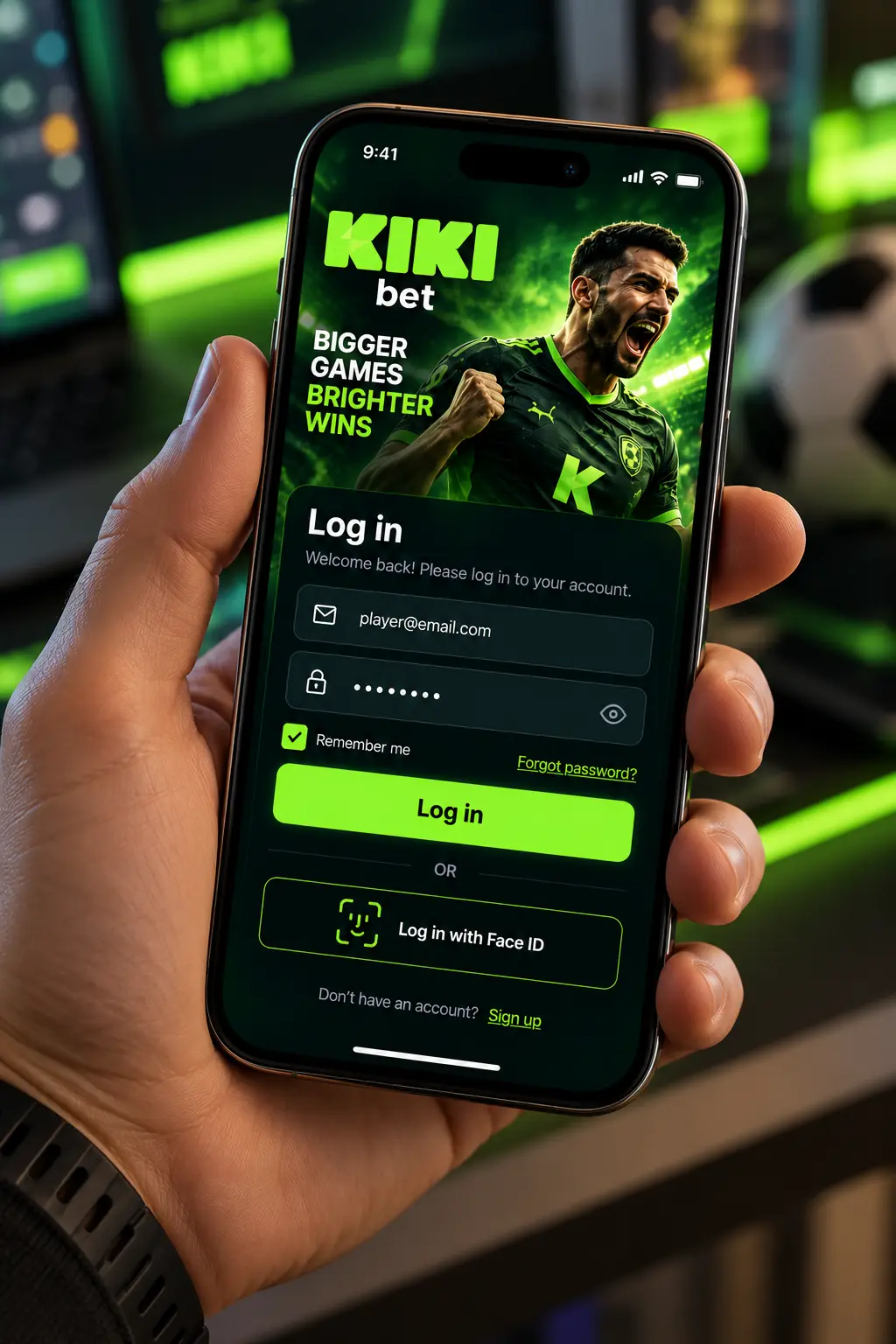
After installation, the app opens to a standard login screen with fields for the registered email address and password. Players who already hold a Kikibet account created on the desktop platform log in directly without any re-registration step. The session persists across app closures — provided the player does not manually log out — so returning to the app after a period of inactivity does not require re-entering credentials unless the device’s own security settings enforce re-authentication.
Biometric login — Face ID on compatible iPhone models and Touch ID on devices with a fingerprint sensor — is available from the account settings section after the first successful password-based login. Once activated, biometric authentication replaces the password on subsequent sessions, reducing login time to under two seconds. On Android, fingerprint authentication functions identically, subject to the device’s hardware capabilities.
“The adoption of biometric authentication in mobile gambling applications has accelerated significantly in the UK market, driven by device-level security improvements and player preference for frictionless session starts,” noted a mobile UX researcher specialising in the online gambling sector.KYC verification completed on the desktop platform carries over fully into the app — there is no separate mobile verification process. Players who have not yet submitted identity documents can initiate and complete the verification directly within the app by uploading photographs of the required documents through the built-in camera or from the device’s photo library. The associated withdrawal limits that apply during and after verification are consistent with those described on the dedicated Kikibet sign-up page.
App Interface and Navigation
The Kikibet app is structured around a bottom navigation bar that provides direct access to the sportsbook, casino, live casino, promotions and account sections without requiring the player to return to a home screen between verticals. The tab-based layout keeps the active betting slip accessible from any section of the application, eliminating the need to navigate away from a live market to review or submit a bet. Loading transitions between sections average under 1.5 seconds on a standard 4G connection. The app’s search function, available from both the sportsbook and casino lobbies, returns results in under two seconds across a catalogue spanning several thousand titles and markets, making it practical for navigation on a compact smartphone screen.
Sportsbook and Live Betting on Mobile
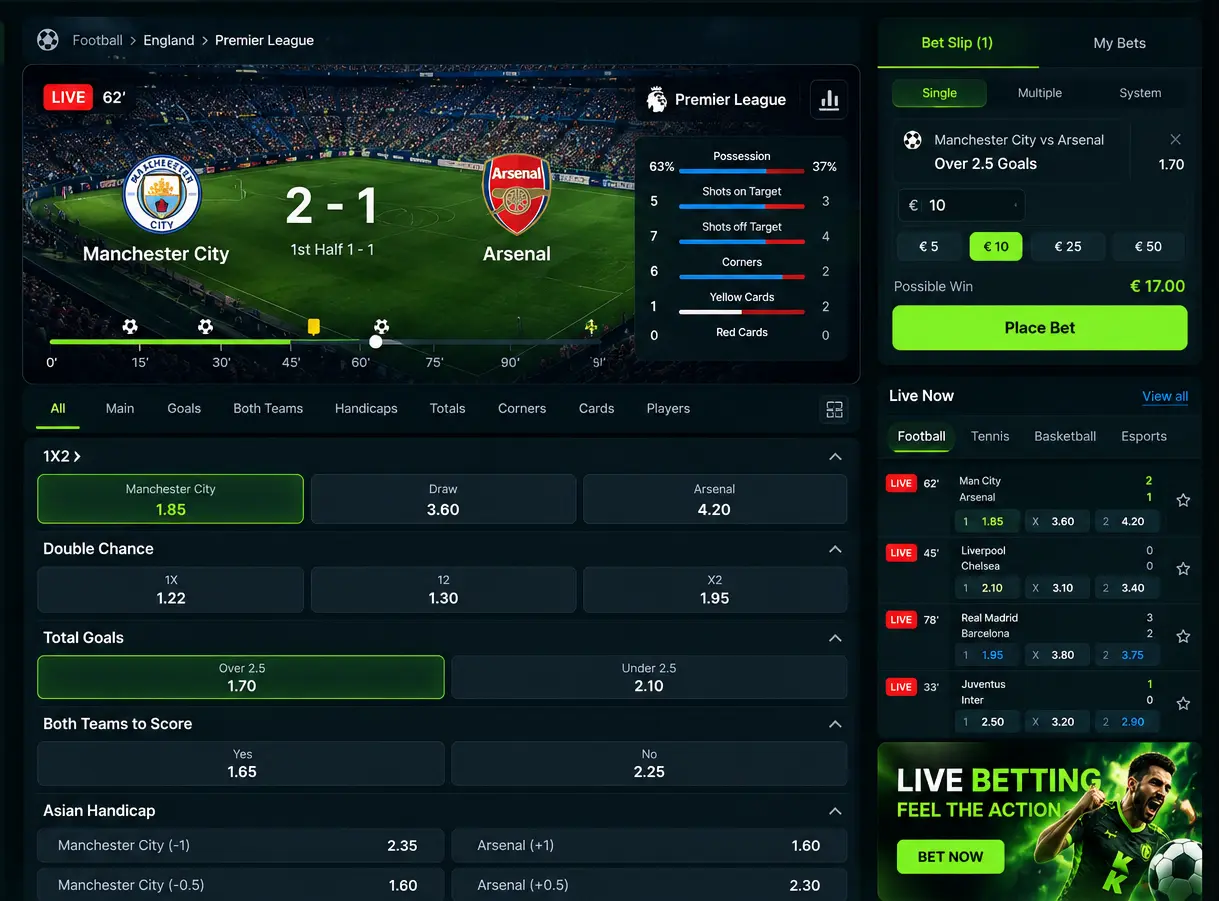
The sportsbook section covers over 30 sports, with football markets offering the greatest depth — match result, both teams to score, Asian handicap, correct score and over/under lines are available down to individual halves on selected fixtures. The minimum stake across standard sportsbook markets is £0.10, maintaining accessibility for recreational bettors. Standard maximum single bet limits vary by market and event tier and are displayed dynamically at the point of bet placement.
Live betting markets update continuously during active events, with odds movements reflected in real time without requiring a manual refresh. The in-play section is filtered by sport and by event status, distinguishing between markets currently active, upcoming within the next hour and temporarily suspended. A live match tracker displaying minute-by-minute event data for football and selected other sports runs alongside the odds panel without requiring a separate browser tab or external application.
Casino, Live Dealer and Slots via App
The casino section provides access to the full slot library, table games and live dealer lobby within the same interface. Slot titles load through an embedded player — there is no redirect to a mobile browser at any stage of game launch. The live dealer section streams blackjack, roulette, baccarat and game show formats at variable bitrates, with stream quality automatically adjusted to available bandwidth to prevent buffering during play.
Minimum bets at live dealer tables start at £0.50 for standard blackjack and roulette variants, with dedicated VIP tables operating at higher minimum stake thresholds. The slot lobby supports search and filter functions by provider, volatility category and feature type — megaways, bonus buy and jackpot titles each carry dedicated filter tags — making navigation practical on a smartphone screen without excessive scrolling.
“Live dealer engagement on mobile has grown at a disproportionately higher rate than desktop in the UK market, driven by improvements in stream stability across 4G and 5G networks,” noted a senior iGaming analyst in a 2026 sector report.Cash Out, Bet Builder and Accumulators
The cash out function is available on eligible pre-match and in-play bets directly from the betting slip within the app. Both full and partial cash out are supported, with the displayed value updating in real time as the underlying market price moves. For accumulators, partial cash out allows securing a portion of the projected return while leaving the remaining stake active on outstanding selections.
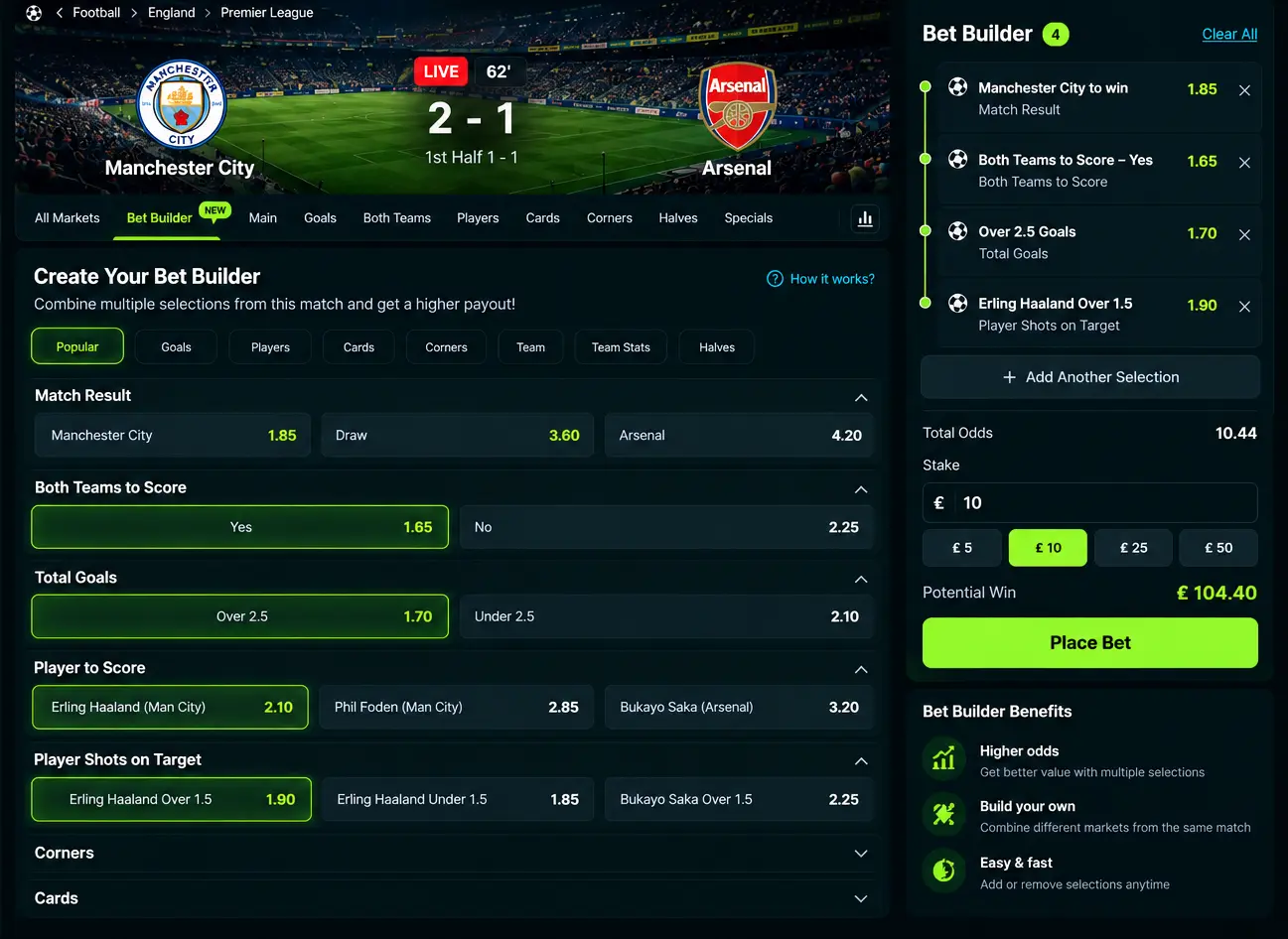
The Bet Builder tool enables combining multiple selections from the same fixture into a single bet with a multiplied price, available on football and selected other sports. Accumulators of up to 20 selections are supported on standard pre-match markets, with the potential return calculated dynamically as each selection is added. Maximum accumulator payouts are capped at £500,000, consistent with the limits published in the Kikibet terms.
Push Notifications, Personalisation and Settings
The Kikibet app supports push notifications as a direct communication channel between the platform and the player’s device, functioning independently of any email or SMS contact preferences set within the account. Notifications are configurable by category — odds movements on bookmarked markets, kick-off reminders for pre-selected fixtures, result alerts for settled bets, and deposit and withdrawal status updates. Each category is toggled individually from the app settings, allowing players to receive only alerts relevant to their activity pattern without disabling the system entirely.
Beyond notifications, the settings section provides control over odds format — fractional, decimal or American — which updates globally across all markets immediately on change. The default display currency is set to £ for UK-registered accounts and cannot be switched to a non-GBP denomination within the UK-facing version of the platform. The app also retains a recently viewed markets list and a favourites section for both sports and casino games, enabling faster repeat navigation for players with established preferences across sessions.
Kikibet App vs Mobile Browser
Both the Kikibet native app and the mobile browser version provide access to the complete feature set of the platform, but there are measurable operational differences between the two access methods. The native app benefits from locally cached assets, which reduces the number of server requests required to render each screen and produces noticeably faster load times on repeat visits compared to a mobile browser loading the full page from scratch. Push notifications represent the most functionally significant advantage of the app — the mobile browser offers no equivalent real-time alert system without the player actively monitoring the site.
The mobile browser version requires no installation, no device storage and no APK permission steps, giving it a lower barrier to entry for players evaluating the platform before committing to a download. Session continuity also differs: the app maintains a persistent login state by default, whereas browser sessions are subject to cookie expiry and cache clearing, which can result in more frequent re-authentication prompts on the browser version.
| Feature | Kikibet App | Mobile Browser |
|---|---|---|
| Push notifications | Yes | No |
| Biometric login | Yes | No |
| Load speed (repeat visit) | Faster (cached) | Standard |
| Installation required | Yes | No |
| Storage used on device | ~32 MB | None |
| Persistent login | Yes (default) | Subject to cookies |
| Auto-updates | Yes | N/A |
| Full feature access | Yes | Yes |
App Performance, Compatibility and Supported Devices
App performance on the Kikibet platform is consistent across both Android and iOS, with no version-specific feature gaps between the two operating systems as of October 2026. The application is optimised for single-hand use on screens between 5.5 and 6.7 inches, covering the dominant smartphone screen size range in the UK market. On devices meeting the minimum OS requirements, the app operates without frame drops during live betting sessions or live casino streaming, provided the network connection sustains at least 5 Mbps for uninterrupted stream playback.
“Performance benchmarking across 2026 mobile gambling applications confirms that native apps consistently outperform mobile browser sessions by a measurable margin on interaction latency, a gap that becomes perceptible to users during live in-play betting when odds update frequency is highest,” according to a mobile performance analyst covering the iGaming sector.Android Version Requirements
The Kikibet Android app requires Android 8.0 (Oreo) or above, a version released in 2017 that covers virtually all Android smartphones currently in active use in the UK. The APK installation does not require root access or any system-level modification to the device. Standard performance is observed on devices with 3 GB RAM or more, which encompasses the majority of mid-range and flagship Android handsets manufactured after 2019. The installed app occupies approximately 32–36 MB of device storage, with no significant additional storage consumed during normal use.
iOS Version Requirements
The Kikibet iOS app supports iOS 14.0 and above, covering all iPhone models from the iPhone 6s onwards and all iPad Air 2 and later models. Apple’s annual software support cycle means the majority of active UK iPhones run a version well above this minimum threshold, placing effective compatibility constraints on only the oldest devices still in occasional use. The app does not request access to the device’s contacts, photo library or location data during standard operation — camera permission is requested only when the player initiates a KYC document upload directly within the app.
App-Specific Promotions and Mobile Bonuses
The welcome bonus at Kikibet — a 100% deposit match up to £500 plus 50 free spins — is fully accessible when a first deposit is made through the app, with no reduction in offer value compared to desktop. The minimum qualifying deposit is £10, the wagering requirement is 35x the bonus amount, and the maximum permitted bet while the wagering obligation remains active is £5 per round. The bonus validity period is 30 days from activation, applied equally regardless of whether the player registered via the app or the desktop platform.
Ongoing promotions — reload offers, free spin allocations and cashback tied to the VIP programme — are accessible from the promotions tab within the app without navigating outside the application. The cashback programme runs across four tiers: Bronze (5%), Silver (10%), Gold (20%) and Platinum (50%), with tier progression based on cumulative wagering activity across the sportsbook and casino combined. Push notifications function as the primary alert channel for time-limited promotional offers, giving app users a direct advantage in acting on promotions within their validity window compared to browser-only players who rely on email communication.
“Push notification engagement rates for time-limited gambling promotions run between three and five times higher than equivalent email campaigns for the same offer, a gap that reflects the immediacy of app-level delivery versus the asynchronous nature of inbox-based communication,” an affiliate marketing analyst stated.